This assignment is part of the Introduction to 3D Design course. Students are tasked with designing an engaging, interactive playscape environment for the Fortlandia event at The Lady Bird Johnson Wildflower Center. The objective is to create a space that captivates the audience with imagination and offers opportunities for discovery.
How can I create an interactive environment for children that blends nature, play, and imagination into a cohesive large-scale experience?
Field Research, Industrial, Layout, and Graphic Design
Tools: Rhino (CAD), TwinMotion, Adobe Photoshop, Adobe Illustrator
Timeline: 5 weeks
────────────
Process & Reserach
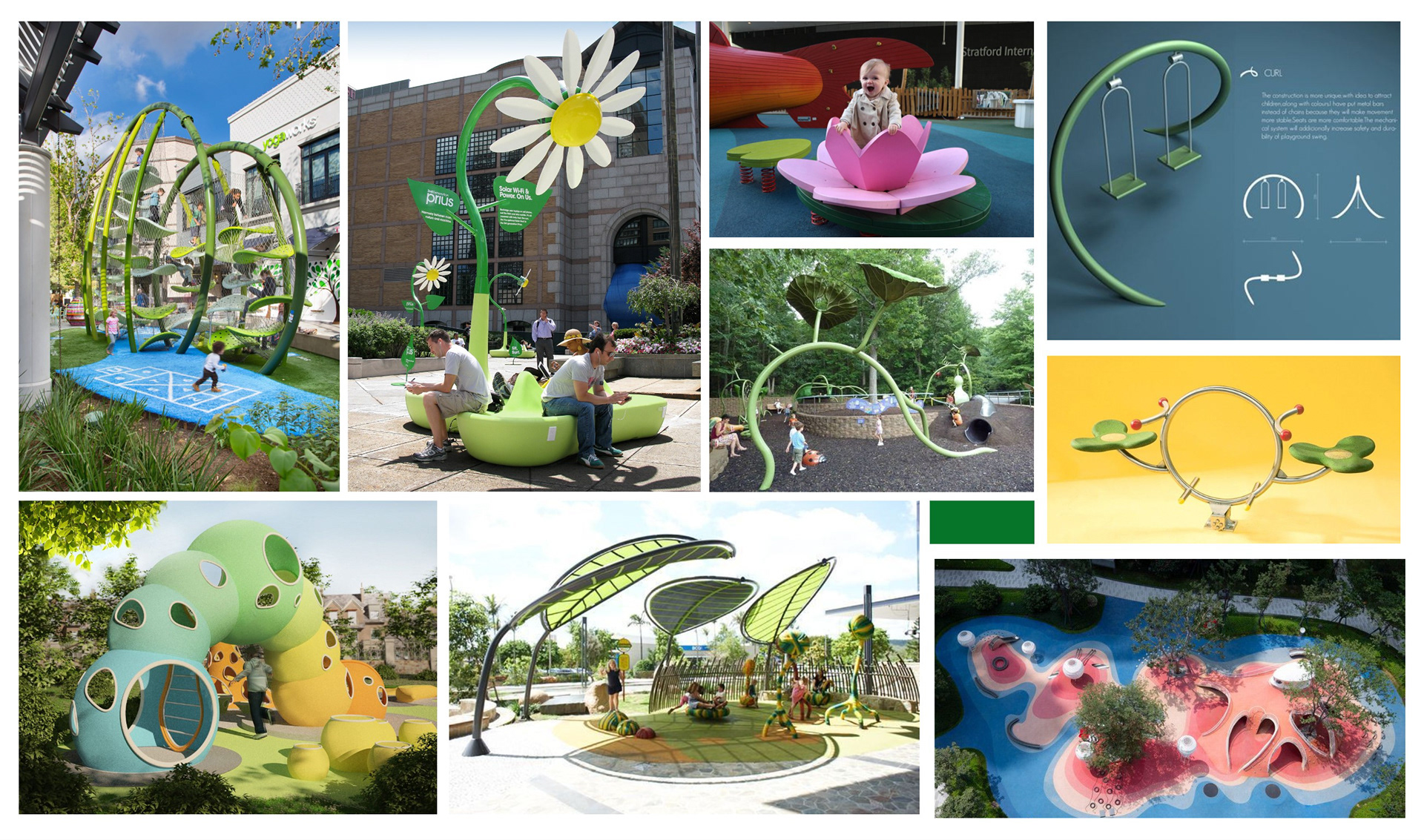
My process began by gathering and ideating around a collection of reference images that would serve as inspiration for my sketchnotes and initial concept development. Because this project was designed specifically for young audiences, my focus centered on creating a playful and imaginative environment, one that would spark curiosity and a sense of adventure in little ones. Every idea was guided by the goal of visually captivating children through vibrant colors, whimsical elements, and engaging compositions that invite exploration and wonder.
I envisioned a space where children could feel free to explore while building a meaningful connection with nature; a place where they could feel both small and powerful at the same time. Inspired by the world of insects, I developed the idea of an insect-themed land that would shrink visitors down to the scale of a bug. By immersing them in oversized natural elements, the environment invites kids to see the world from a new perspective, one that sparks wonder, imagination, and a sense of empowerment in their own smallness.
────────────
Rendering
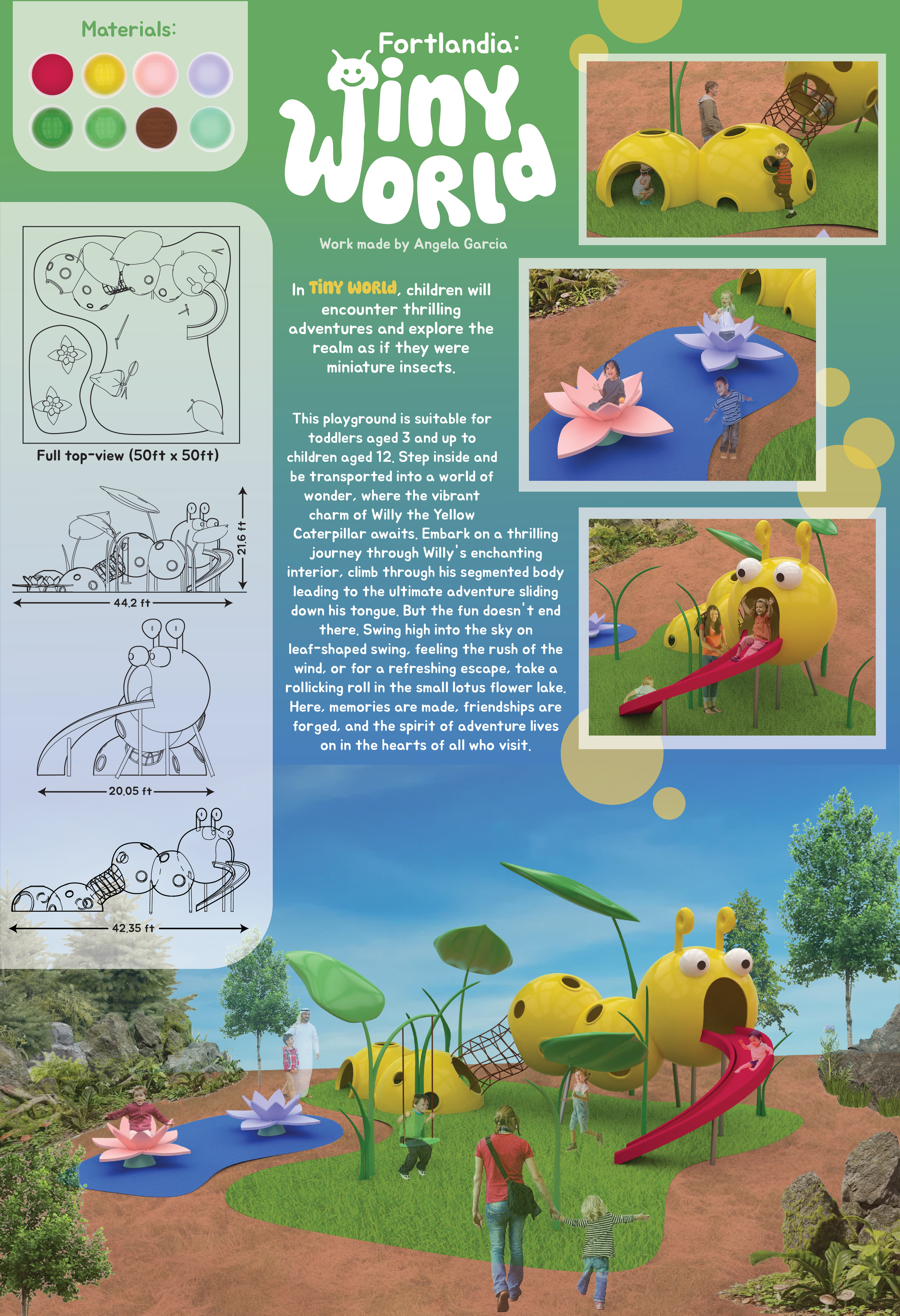
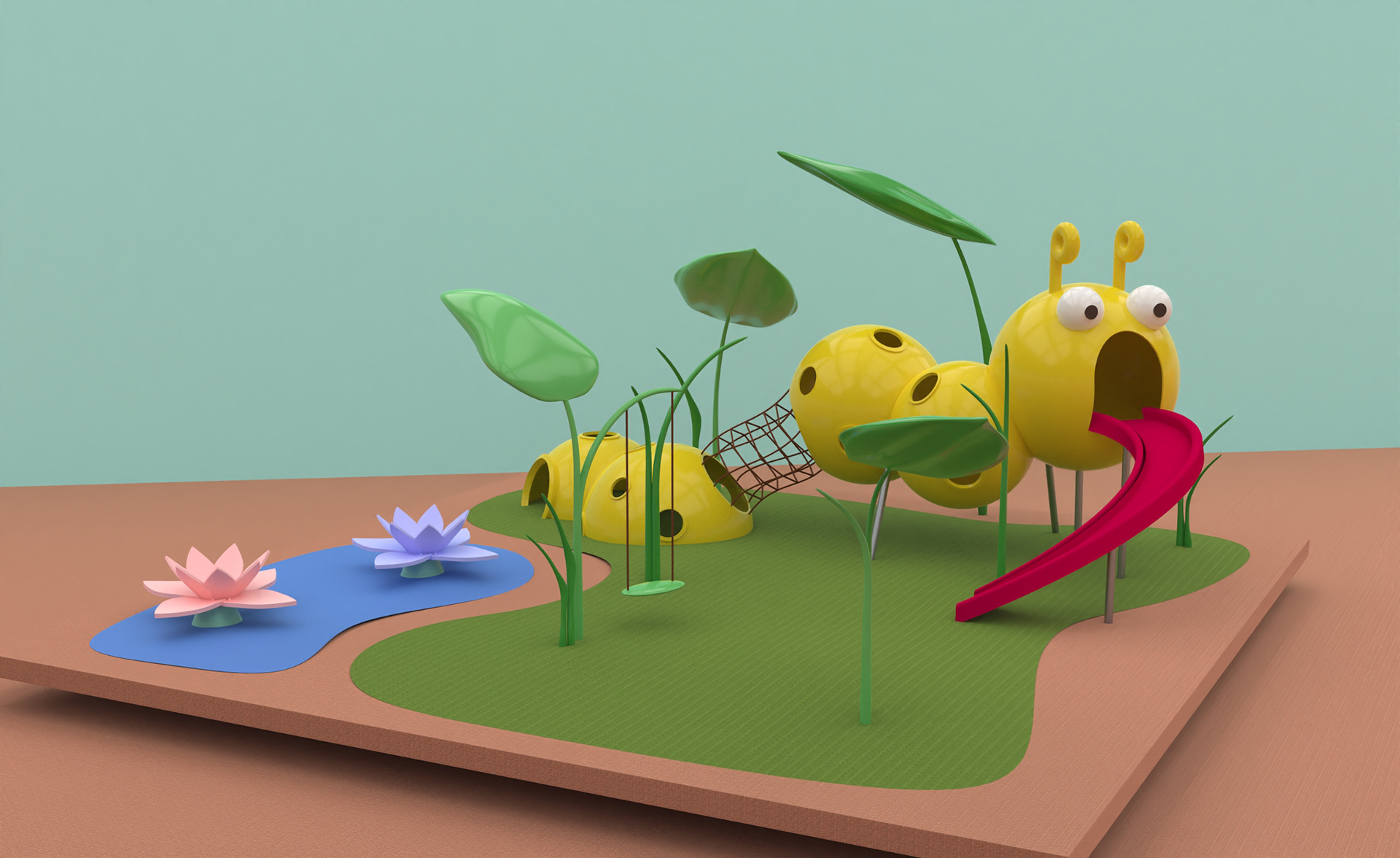
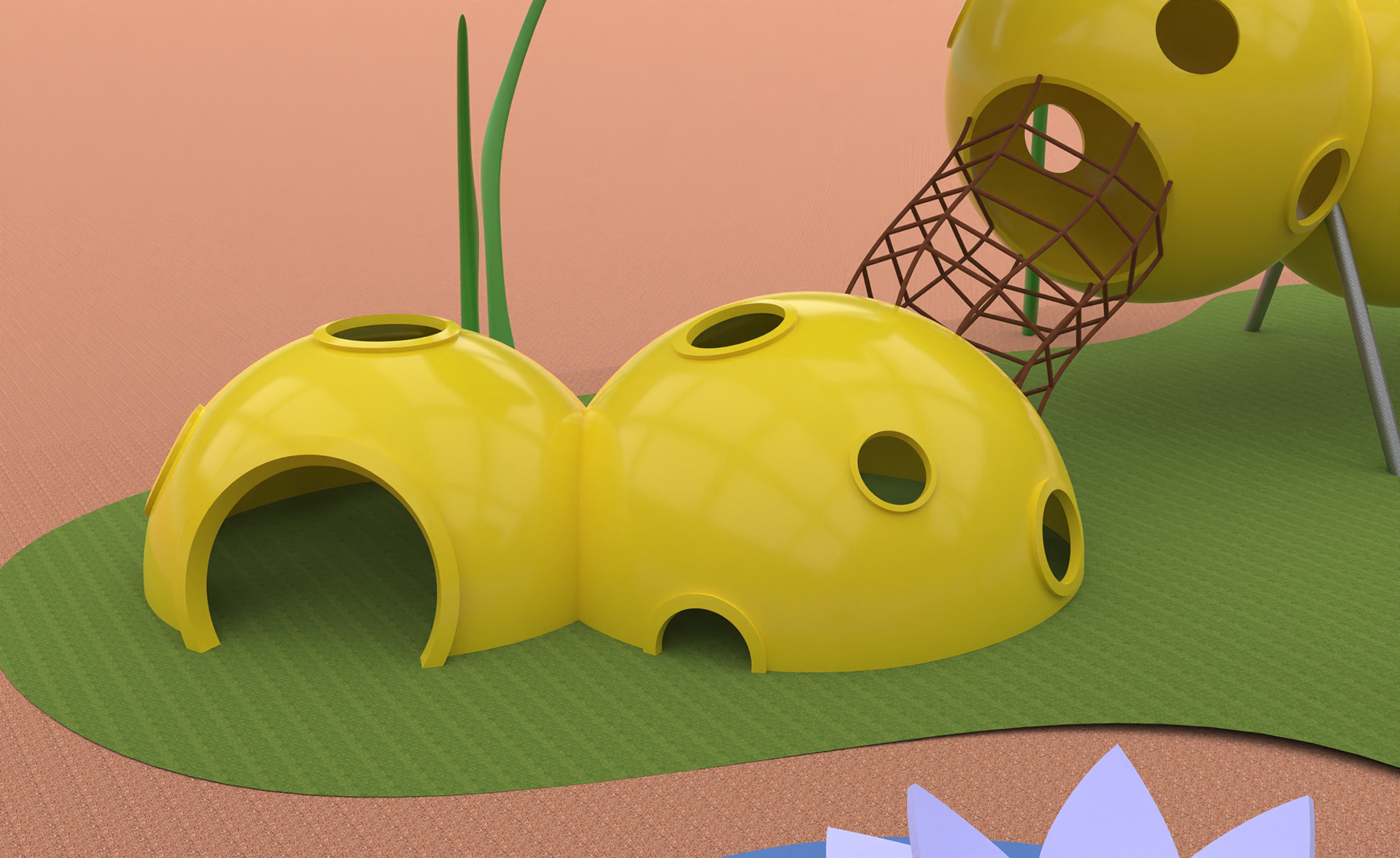
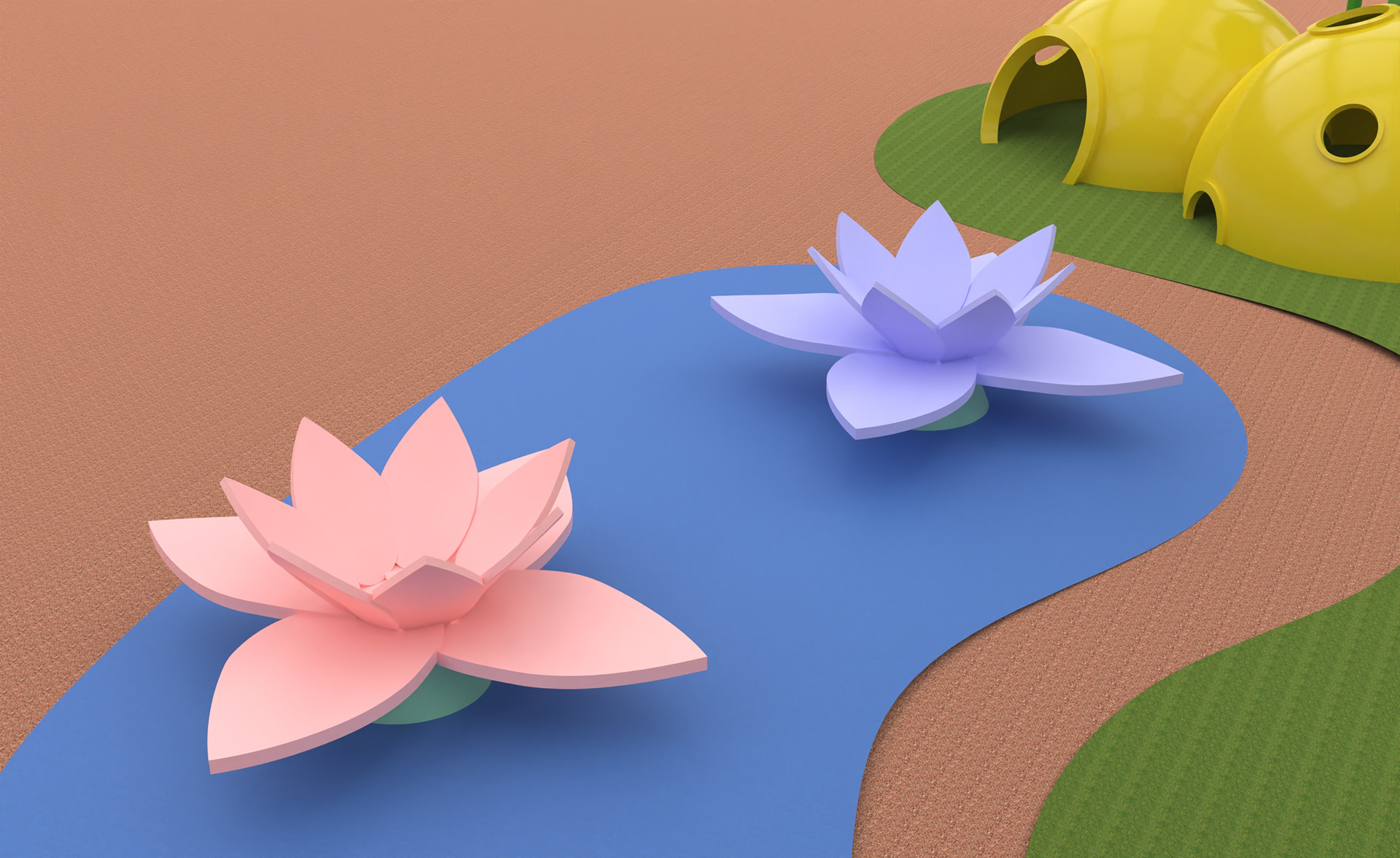
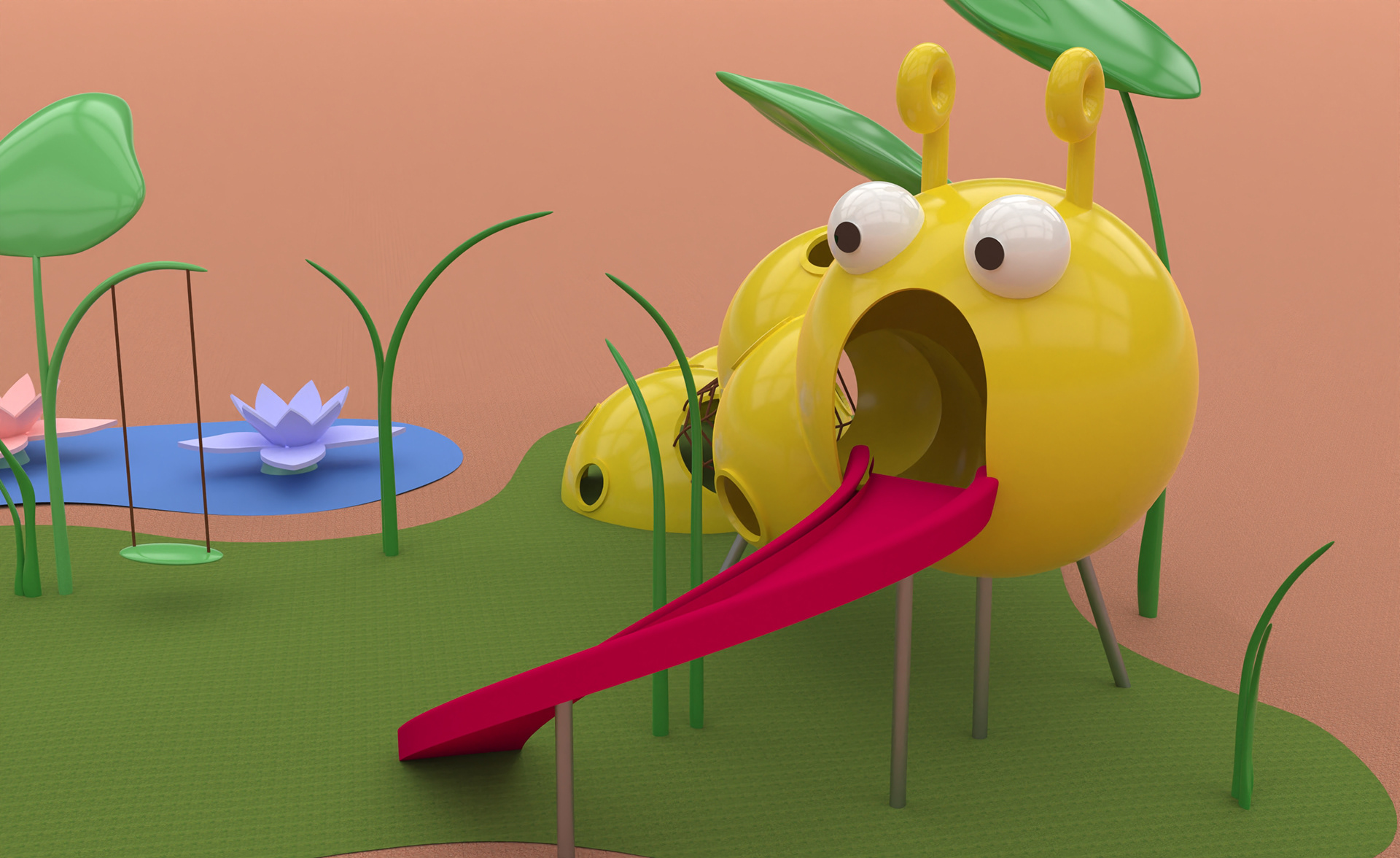
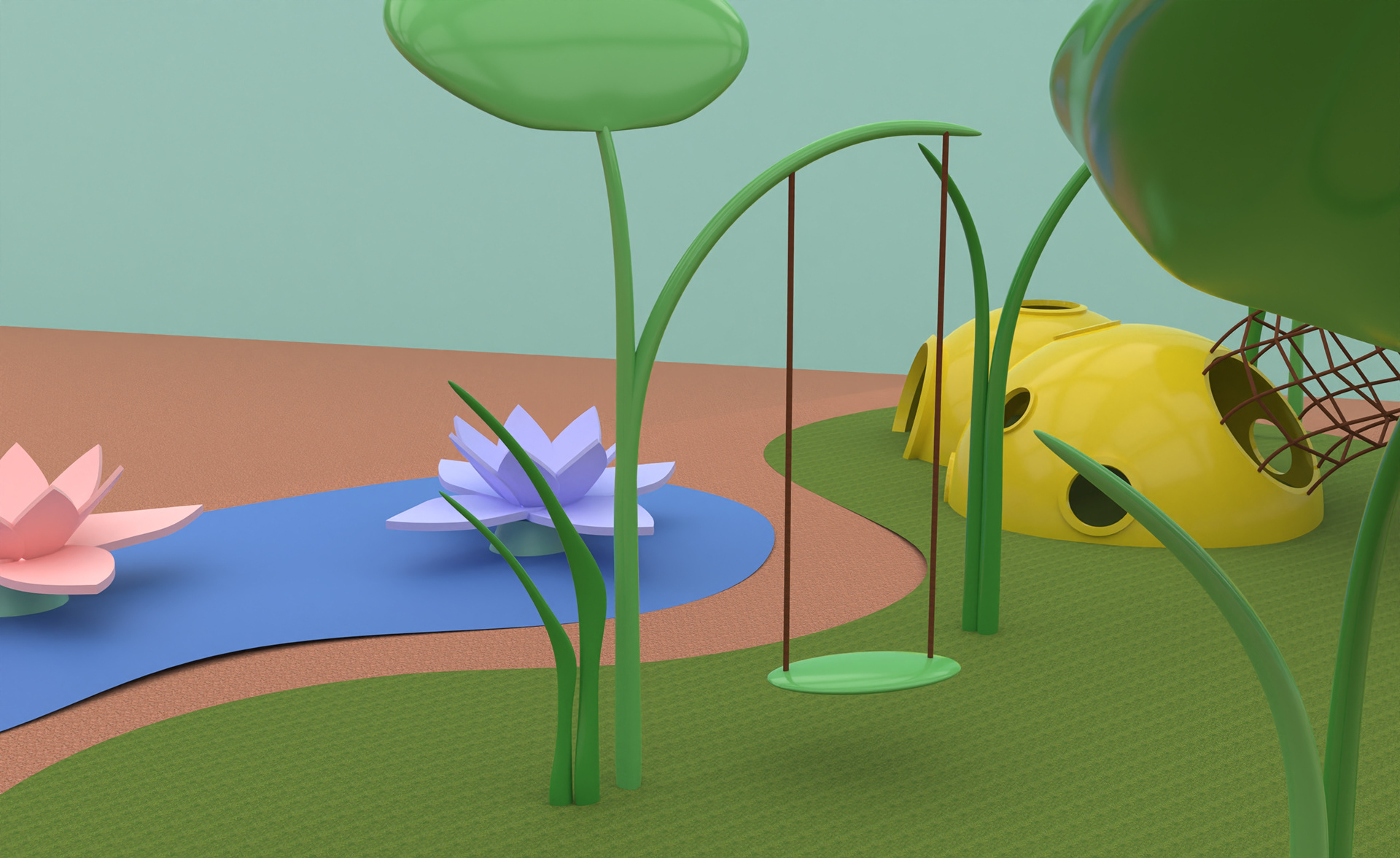
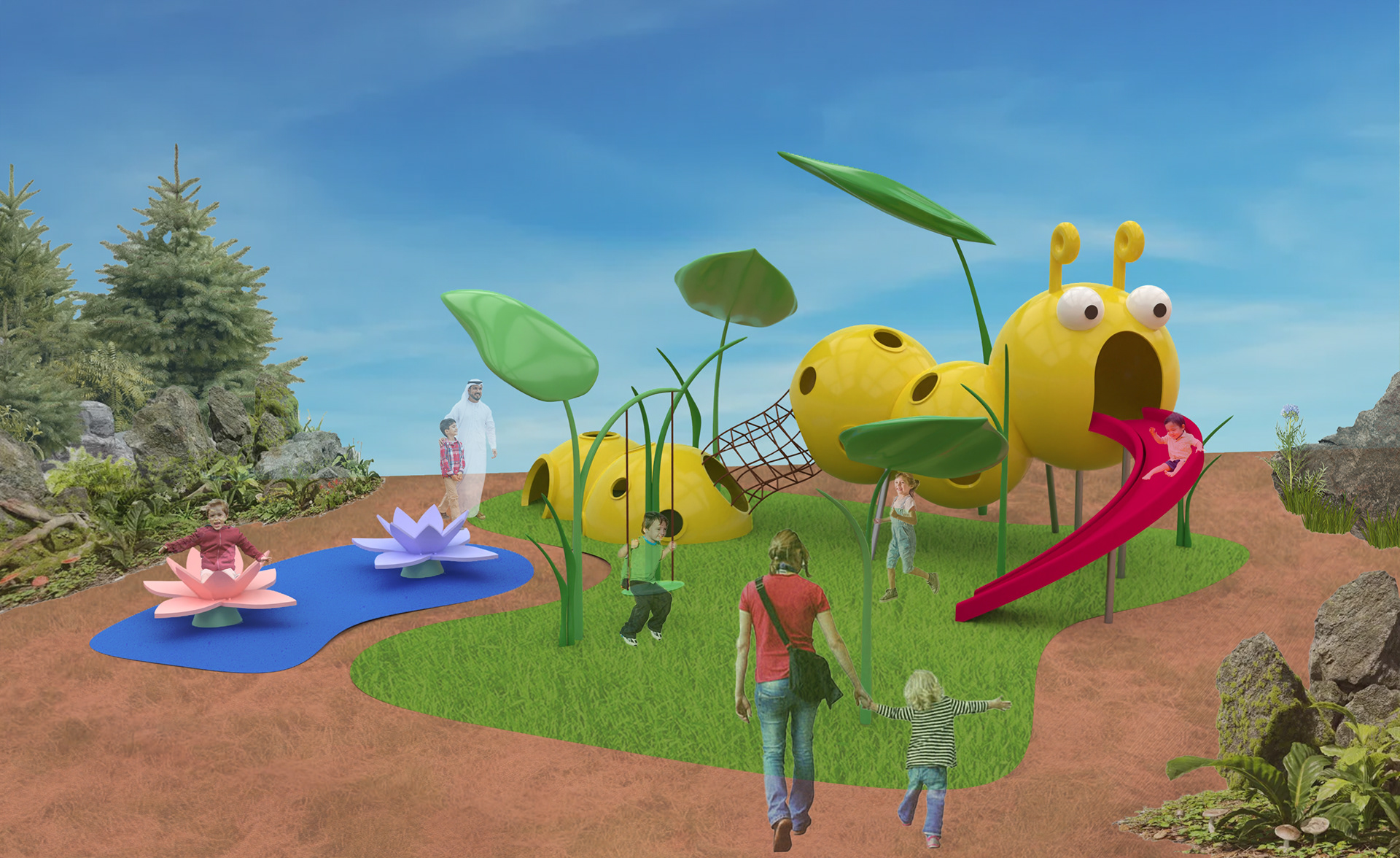
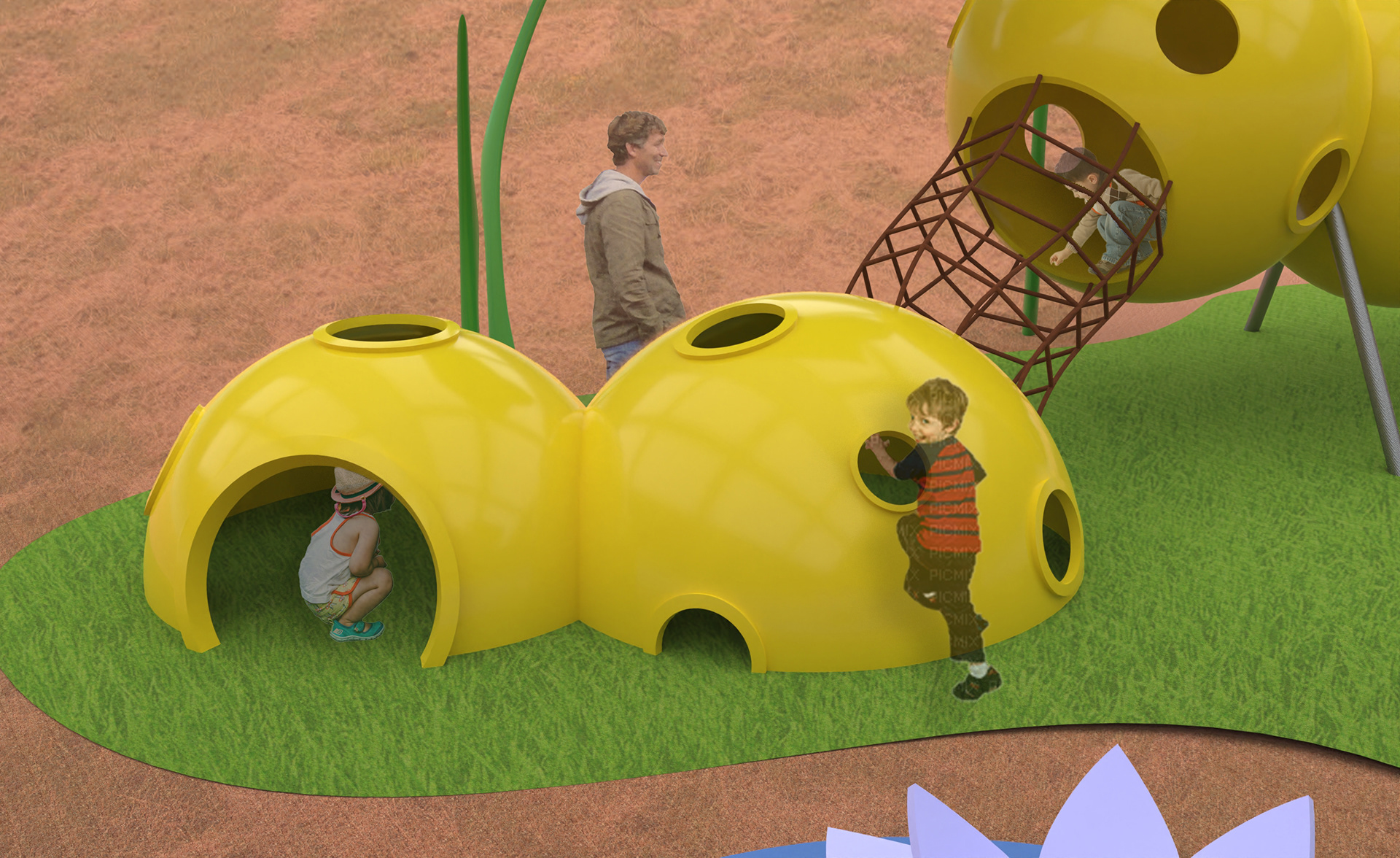
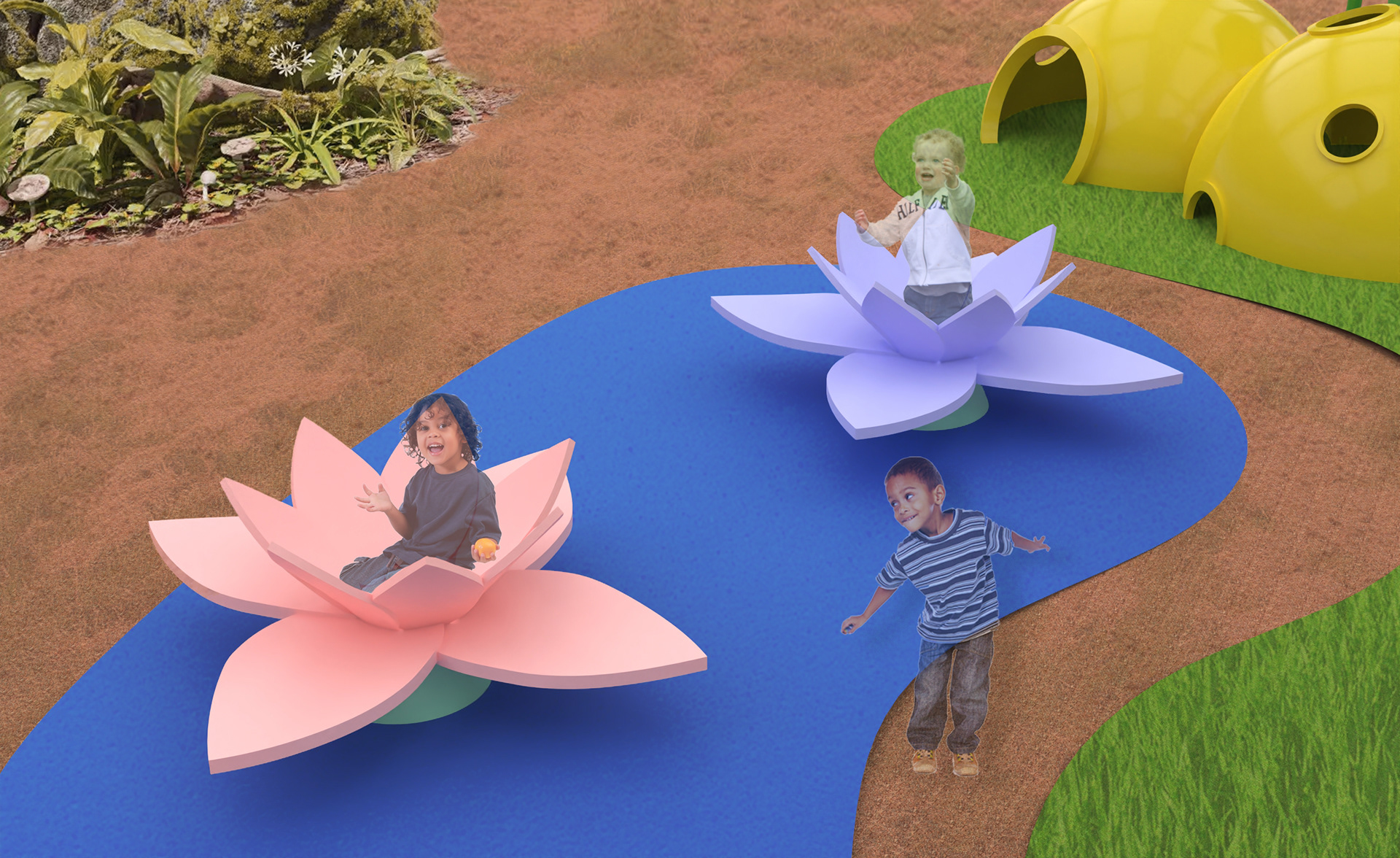
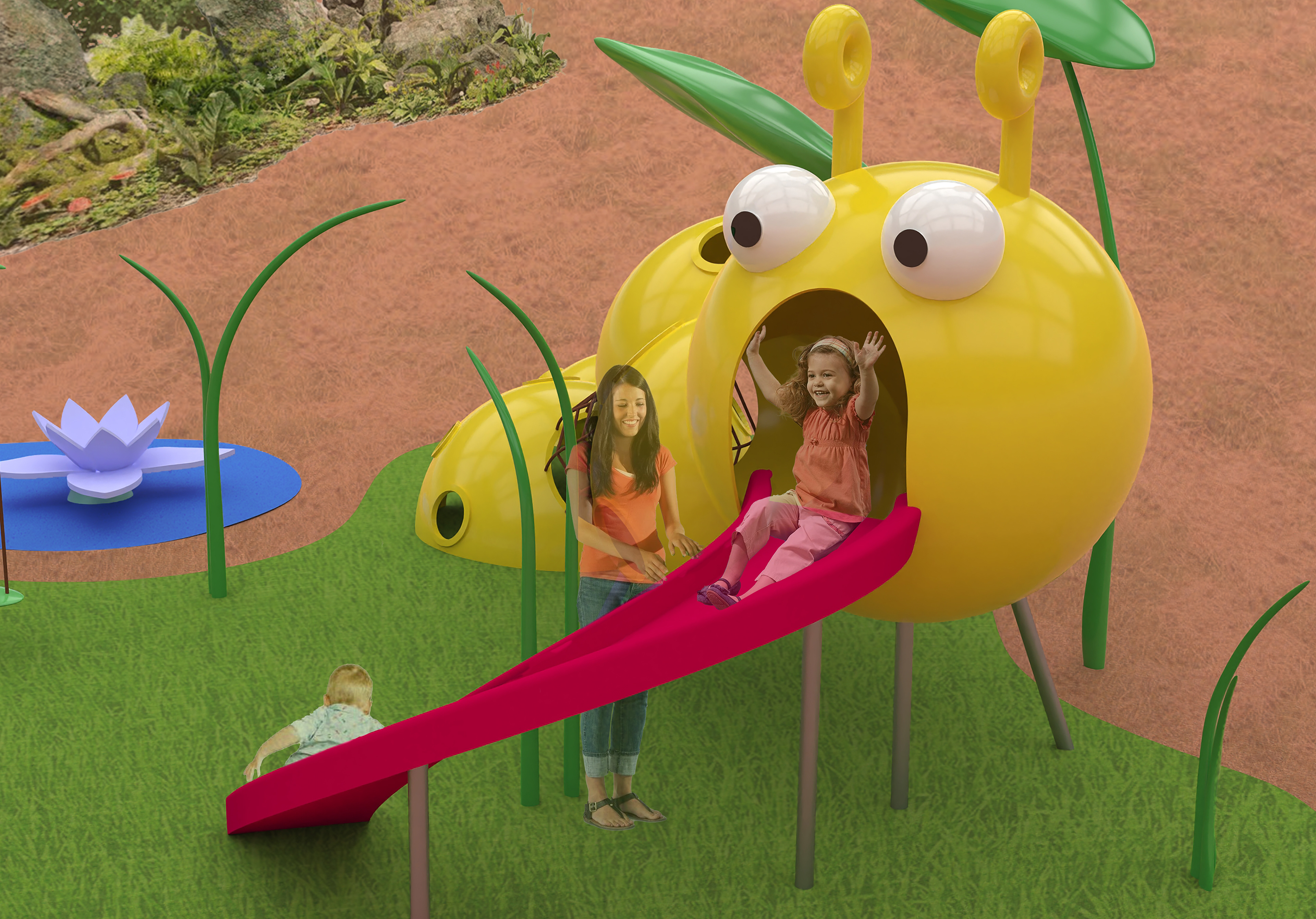
Rendered in Rhino, the playground centers on a whimsical caterpillar-shaped climbing structure created through additions, subtractions, and extrusions of basic forms. Featuring a crawl-through tunnel, climbing ropes, and a slide at its tail, the design is surrounded by spinning lotus elements and swings to encourage layered interaction, movement, and imaginative, nature-inspired play.
The structure was modeled entirely in Rhino and lightly refined in Twinmotion to enhance lighting and material quality. The final renders remain minimal, emphasizing form, scale, and spatial relationships over texture or environmental detail.
Refinements (Photo Editing)
Building upon the initial renderings, I brought the images into Adobe Photoshop to incorporate additional environmental elements, such as trees, bushes, rocks, and other natural features, to better illustrate how the playground would exist in a real-world setting. I also added human figures to serve as mock-ups for scale, helping to communicate how users, especially children, would interact with the space. The stock images were sourced from a variety of platforms and carefully layered to enhance the sense of depth, atmosphere, and spatial context. These edits provide a more immersive and relatable visualization of the final design in action.
────────────
Final Presentation Poster
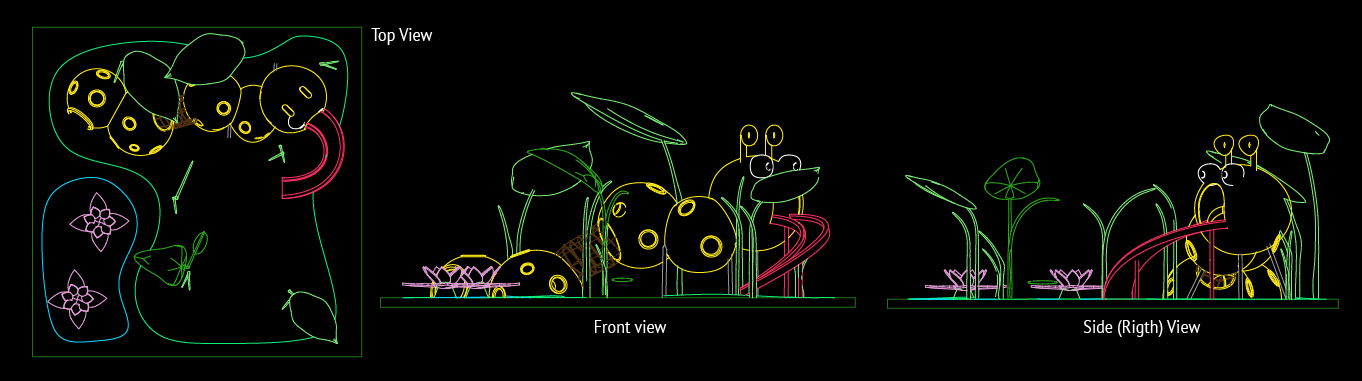
The final presentation poster highlighted a hero shot of the playground model, originally created in Rhino and later refined using Adobe Photoshop and Illustrator to enhance its visual impact. To the left, detailed elevation blueprints displayed the model’s dimensions from multiple angles, offering a clear understanding of its scale and structural layout. Along the top of the poster, a materials and color preview showcased various design options, inviting viewers to explore the visual possibilities for each component. Additional mock-up images were placed along the side, illustrating how the intended users, children and their parents, would interact with the space in a real-world context, helping to ground the concept in both function and experience.
─────
Conclusion and Reflections
This project offered a meaningful opportunity to deepen my understanding of CAD software, particularly Rhino, as I navigated the process of building and refining a large-scale model. It challenged me to think critically about spatial relationships, proportions, and how interactive environments influence user experience, especially from the perspective of young children. I learned to consider not just how a design looks, but how it feels and functions when inhabited. Beyond the technical modeling, I also honed my skills in visual communication by thoughtfully presenting my work through renderings, mock-ups, and layout design. Every design choice, from structure to color to presentation, was made with intention, aiming to clearly convey the concept, purpose, and playful spirit of the project. Overall, this experience helped me grow both as a designer and storyteller, bridging the gap between form and function in a way that’s engaging and accessible.